Need help?
Support Centre
MyKNX Store
 ETS Software
Download ETS to design, commission and manage KNX projects. Start with a free trial or choose a license.
ETS Software
Download ETS to design, commission and manage KNX projects. Start with a free trial or choose a license.
 ETS Apps
 extend your ETS workflow with focused tools for documentation, commissioning, diagnostics, and more. Visit our store and browse and browse our available ETS Apps.
ETS Apps
ETS Apps extend your ETS workflow with focused tools for documentation, commissioning, diagnostics, and more. Visit our store and browse and browse our available ETS Apps.
Image
Image





KNX TP Telegram Visualiser
Other in Roskilde
Applications Used
Lighting
Heating, Ventilation & Air conditioning (HVAC)
Security and Safety
Operation and Visualisation
Energy Management/Smart Metering
Other
Automation and Remote Access
Blind and Shutter Control
Project Details
| Category | Value |
|---|---|
| Project Category | Other |
| Project Type | Other |
| Year of Completion | 2026 |
| Project Size | 1 – 100 |
| Number of KNX Devices Used | 1 – 25 |
| KNX Transmission Media | Twisted pair |
| Man Hours | 1 – 100 |
| Man Power | 1 – 5 |
Detailed Description
Energy Efficiency
The usage of automated functions already save energy in every installation. Especially the usage of KNX has a lot of potential for further energy savings, which can contribute to a better environmental footprint. Be extending KNX to more functions and applications, energy savings of up to 60% can be realised. Thanks to the flexibility of KNX, these functions can easily be implemented in this installation
Innovation
Smart homes and buildings are always an upgrade in comparison to a conventional installation. Not only automated functions and a higher level of comfort contribute to a higher living standard, but also the possibility to be ready for coming innovations. Thanks to the usage of KNX, the door has been opened to integrate new innovative solutions, using the worldwide STANDARD for home and building control.
Applications Used
- Lighting
- Heating, Ventilation & Air conditioning (HVAC)
- Security and Safety
- Operation and Visualisation - PC Visualisation, Web Servers
- Energy Management/Smart Metering
- Other
- Automation and Remote Access
- Blind and Shutter Control
Customers Description
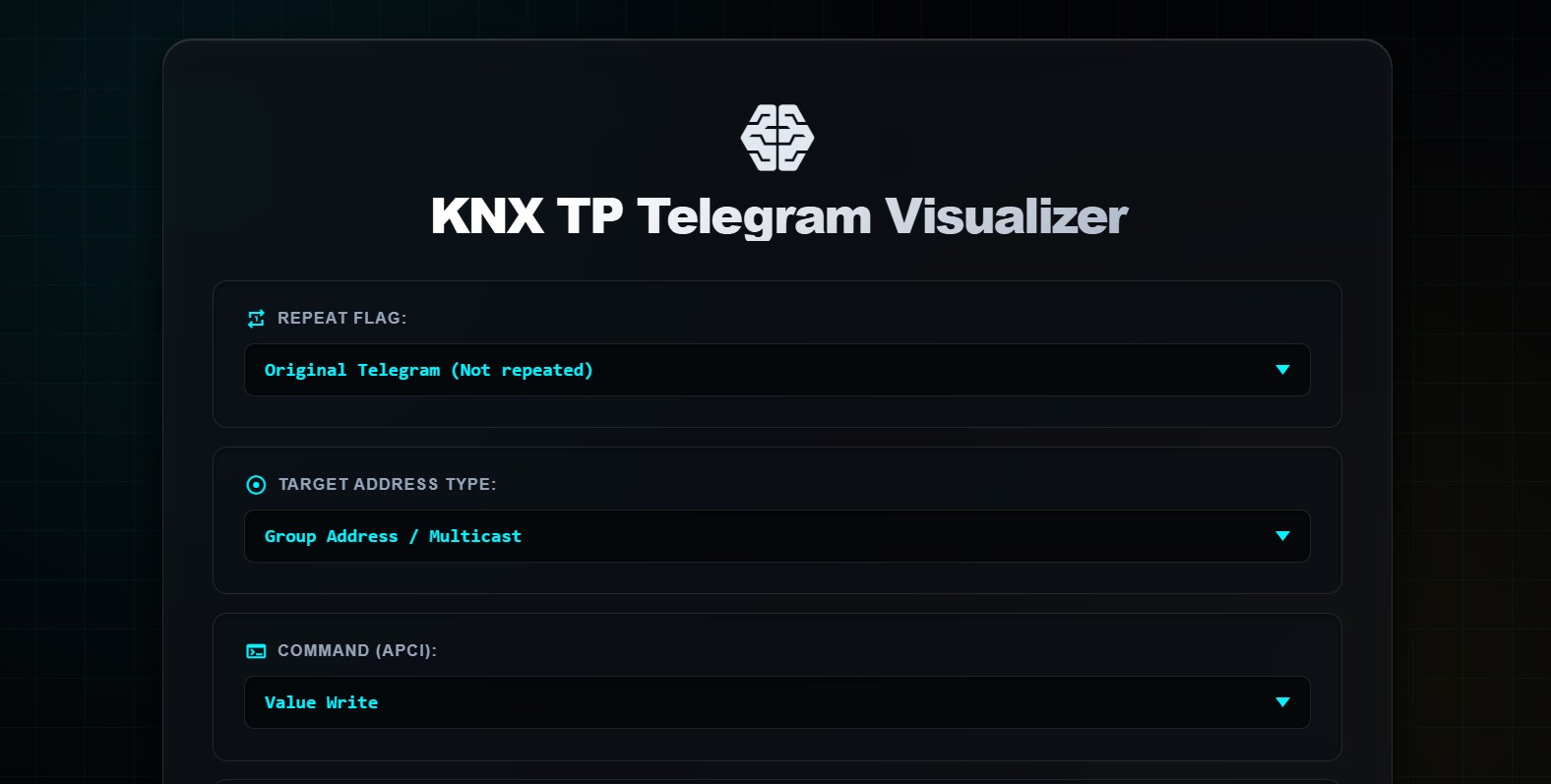
This free, open-access web tool was created by a certified KNX Tutor to help Basic Course students visualise KNX TP telegram transmission, one of the most technically challenging topics in KNX education.
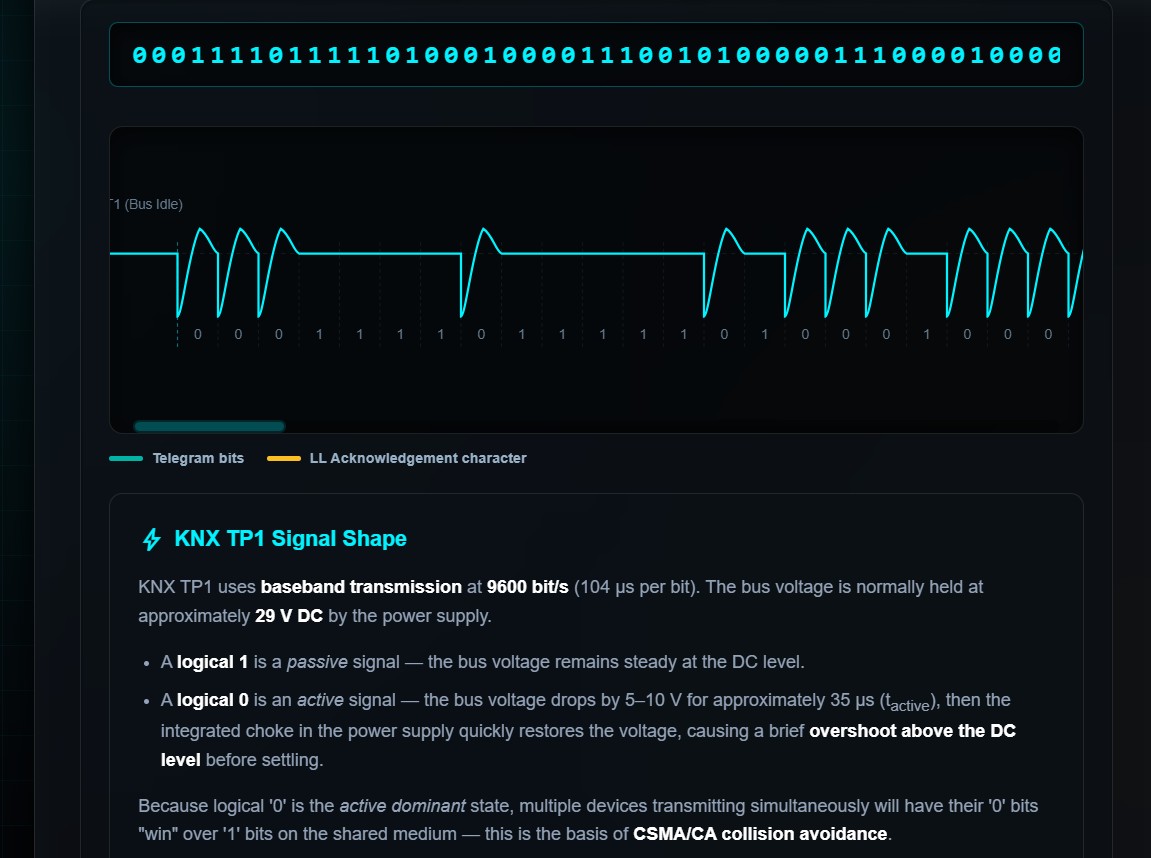
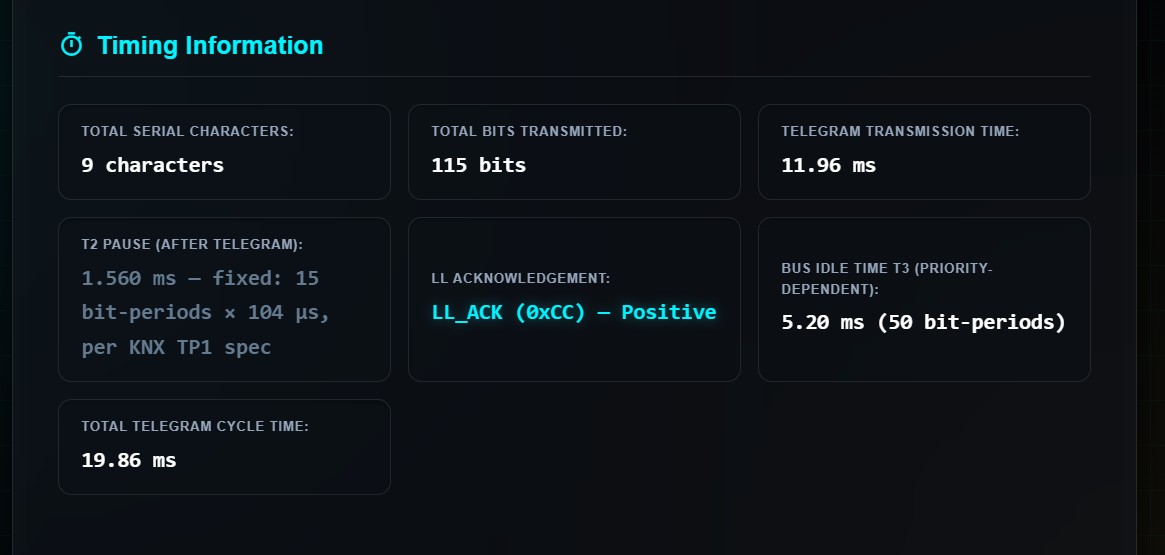
Students configure a telegram interactively: source and destination addresses, priority, DPT type, command, and acknowledgement type. The tool then builds every byte in real time, showing both the logical bit layout and the physical serial character as it appears on the bus, including start bit, LSB-first data, even parity, and stop bit. A live waveform renders the complete bus signal with authentic TP1 overshoot behaviour, T2 pause, LL acknowledgement, and T3 idle timing.
The visualizer also explains the difference between the raw TP bus format and the cEMI format seen in ETS Bus Monitor, a distinction that consistently confuses students.
Built on official documentation. Browser-based and freely available to any student or educator worldwide on https://marcdahl.dk/knx/
Contact Information
| Company Name | marcdahl.dk |
| Company Email | marc.dahl@gmail.com |
| Company Website | https://www.marcdahl.dk/ |
| Contact Name | Marc Sonne Dahl |
| Contact Function | System Integrator |